macOS
File management
for working with AI.
Your folders, your terminal, and your AI in one window. Instead of running Obsidian and Cursor side by side, you work in a single place.
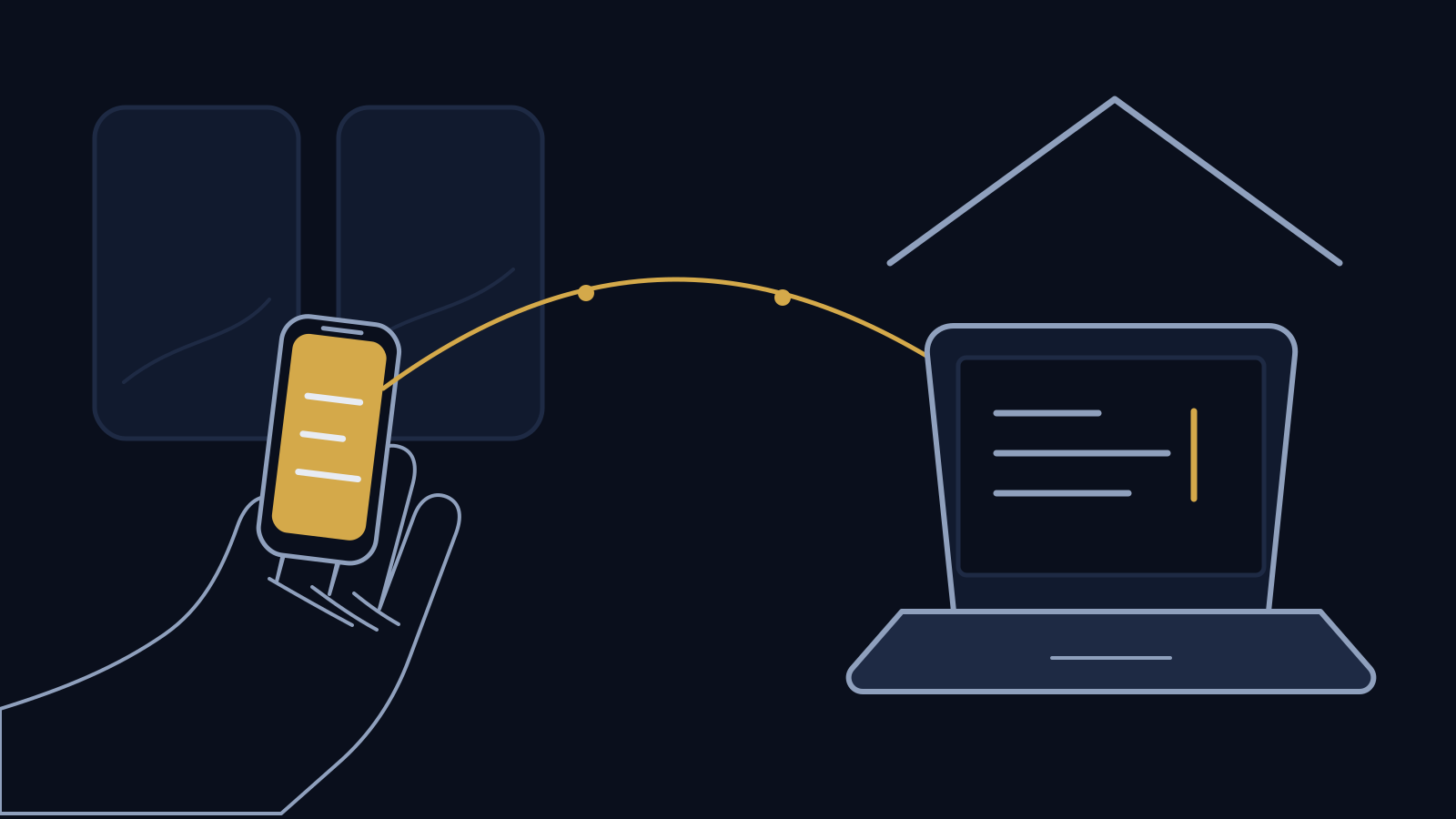
And from your iPhone or iPad, anywhere, you reach the Mac at home. Answer the agent you left running while you are on the train.
macOS 14 or later. No account needed.
Video
Atriens in 20 seconds.
Stop running two apps at once.
Arranging your files so an AI can work with them has become normal. But if that means moving between two apps all day, you have added work, not removed it.
Where your material lives
Notes and assets sit here. The terminal is somewhere else. Every switch breaks your train of thought.
Where the AI runs
Agents run in the terminal. Checking what they produced means yet another window.
After you walk away
An agent runs for five minutes, or thirty. Nobody is watching the screen while it does.
Bring scattered places
together in one sidebar.
In the Finder, the only things you can put under a folder are the things inside it. The Atriens sidebar works differently. Footage on an external drive can sit under a project in your Documents folder.
Not one file moves.
The sidebar is a map of where things are. Rearrange it, copy within it, and the files stay exactly where they were. Nothing disappears, nothing gets duplicated.
Hang unrelated places under one project
Assets on a NAS, recordings on an external drive, the brief in your Documents folder. All under one project.
Group by meaning
Client work, writing, experiments. Grouped the way you think about them, not the way the disk is laid out.
Give things names you recognise
What the sidebar shows can differ from the folder name. proj_2026_a can simply read “Project A”.
One terminal per folder.
Type commands in the folder you are already looking at. Switch folders and the terminal follows. You never type cd.
See the state at a glance
Running, waiting for you, finished. The tab colour and mark tell you which.
Get told when it matters
When work finishes, or when something needs your answer, a macOS notification arrives.
Pick up where you left off
Atriens remembers what was running when you quit, and offers to resume it next time.


















Reach the Mac at home,
from anywhere.
You get into the Mac at home over the internet. Read its terminal and type into it. Your sidebar and folders open the same way, down to the contents of a file. On the same Wi‑Fi it connects directly; away from home it switches to a relay on its own.
Get in from outside
From the iPhone in your pocket, or the iPad in your bag, to the Mac at home. Everything is encrypted between the two devices, and the relay cannot read it.
Read it, and type into it
The terminal running on your Mac appears as it is, reflowed to the width of the screen in your hand. On iPad the list sits on the left and the terminal on the right.
Your folders come with you
The folders you registered on the Mac, in your hand. Go into folders and check text, images and PDFs.
 If you use Obsidian
Your vaults, already in the sidebar.
Atriens reads the vaults Obsidian already knows about and puts them in your sidebar. Nothing to configure, nothing to retype. You do not have to leave Obsidian.
No registering twice
It reads the list Obsidian keeps. Add a vault there and it appears here too.
A terminal right beside it
Open a vault and its terminal is in the same window. Handing your notes to an AI takes one step.
Still opens in Obsidian
Right click to open it there. Write in Obsidian, find and move things here.
Your AI bill stays yours.
Atriens does not sell inference. Point it at a model running on your own Mac, or at your own API key. Using it more does not make a monthly bill grow.
Pricing
Everything on your Mac is free. You only pay to use it from an iPhone or iPad.
Start with the free part.
Everything Atriens does on your Mac is free, with no time limit. No account, no email address.
Features
What Atriens does
The sidebar, the terminal, previews, and your iPhone and iPad. Everything that fits in one window.
plan.md
- Kind
- Markdown document
- Size
- 12 KB
- Modified
- 2026/08/22 08:31
- Created
- 2026/06/11 16:40
Draft proposal
What we are doing and how. The numbers are not final.
- Take stock of what exists
- Find the gaps
- Estimate the cost
The sidebar
Arranged the way you think, not the way the disk is laid out.
Categories
Group folders by meaning. Name the categories whatever you like.
Nesting
Hang footage from an external drive under a project in Documents. The files never move.
Display names
What the sidebar shows can differ from the folder name. The folder itself is untouched.
Colours and icons
Give each place a colour and a symbol. Your own images work too.
Shelf
A holding place for files gathered from anywhere. Move them somewhere else together.
Pinned and recent
Pin what you use often. Recently opened folders and files line up on their own.
Smart folders
Saved searches. Run the same query again whenever you need it.
Obsidian vaults
Reads the vaults Obsidian already knows about and puts them in the sidebar. Nothing to register twice.
Cloud and volumes
iCloud, Google Drive and external drives appear in the same sidebar.
Looking at files, and working on them
Four views
Icon, list, column and gallery. Switch with ⌘1 to ⌘4.
Tabs
Keep several places open and move between them.
Quick Look
Press space to see inside. Markdown is shown rendered, not as markup.
Rename in place
Press Return to edit the name. Characters are never dropped mid-composition in Japanese, Chinese or Korean input.
Command palette
⇧⌘P reaches every place and every action from the keyboard.
Git status
See which files changed, and read the diff.
Image and PDF chores
Convert, resize, merge PDFs. The everyday jobs are built in.
Zip and unzip
Create and extract archives without leaving the window.
Add your own actions
Register the commands you type often as right-click menu items.
Draft proposal
What we are doing and how. The numbers are not final.
Tasks
- Take stock of what exists
- Find the gaps
- Estimate the cost
How we work
A short weekly check against docs/plan.md.
| Phase | Work | Owner |
|---|---|---|
| 1 | Stocktake | Me |
| 2 | Prototype | Me |
| 3 | Review | Everyone |
Notes
Step by step details live in README.md.
The terminal
A real terminal, tied one to one with a folder, dressed the way that folder deserves.
One per folder
Type in the folder you are already looking at. You never type cd.
Tell the state apart
Running, waiting for you, finished. Visible on the tab and in the list.
Notifications
A macOS notification when something needs you. Different sounds for different kinds.
Resume next launch
Atriens remembers what was running when you quit and offers to start it again.
GPU drawing
Drawn with Metal, so fast output does not get dropped.
Split panes
Watch the terminals of several folders at once.
Profiles
Font, size, line spacing, colour scheme, background colour and background image, kept together under a name. Make as many as you like.
A look per folder
Give a directory a profile and everything inside it follows. Pick a different one deeper in and that one wins, so each project is told apart at a glance.
Background images
Use a photo of your own, search free stock photos, or lay the project name over a picture in the wallpaper studio.
Eight colour schemes, or follow the system
How it works with AI
We do not sell inference
Point it at a model running on your own Mac, or at your own API key. Using it more does not raise a bill from us.
Your material stays with you
Nothing has to be uploaded anywhere. What you register in the sidebar stays inside your Mac.
Also
32 languages
Switching takes effect at once, with no restart. See the list
Signed and notarised
Signed and notarised by Apple. It opens without a warning.
Several Macs
Register as many as you like in your hand. Move between the one at home and the one at work.
From your iPhone and iPad
Reach the Mac at home,
from anywhere.
You do not have to be on the same Wi‑Fi. Work running on the Mac you left at home is there on your iPhone, on a train or in another city, to read and to type into. When an agent stops and asks you something, answer it and let it carry on. It runs on iPad too. One app, at no extra cost.
What you can do
Read the terminal, and type into it
The terminal running on your Mac appears as it is, reflowed to the width of the screen in your hand so it stays readable. You can type into it, of course.
See which one is waiting for you
Running, waiting for an answer, finished. Tell them apart in one list.
Your folders, as they are
The categories and folders you arranged on the Mac, in your hand. Display names and nesting come with them.
Check what is inside a file
Text in a monospaced font, images and PDFs as they look. Pinch to zoom. Markdown switches between rendered and raw.
Move what the Mac is showing
Open a place in your hand and the Mac follows. When you sit back down, you carry on from there.
Several Macs
Register as many as you like and move between the one in the study and the one at work, from one app.
Draft proposal
What we are doing and how. The numbers are not final.
Tasks
- Take stock of what exists
- Find the gaps
- Estimate the cost
How we work
A short weekly check.
Notes
Step by step details live in the README.
Next
- Write down the assumptions
- Decide the scope of the prototype
- Put a date on it
Background
Earlier records are collected in docs. The first paragraph is enough.
On iPad, side by side.
There is room for the list on the left and the terminal on the right, at the same time. Same app.
The list and the work at once
Watch which one is waiting for you on the left while you type on the right. No going back and forth.
A real keyboard works
esc, the arrows and ctrl are picked up from a hardware keyboard. With a Magic Keyboard it is the same hands as on the Mac.
Beside another app
Keep your notes open in Split View while you work. When the width gets narrow it goes back to the iPhone layout.
Connecting
Scan one QR code, once. After that you just pick it from a list.
Turn it on, on the Mac
In Settings, open the iPhone & iPad tab and turn on “Allow iPhone and iPad Access”. A QR code appears.
Scan it in your hand
Use the Atriens app, or the camera on your iPhone or iPad.
Then just open it
On the same Wi‑Fi it connects directly. Away from home it goes through a relay. Either way, automatically.
See this Mac’s terminal from Atriens on your iPhone, and type into it. Direct on the same Wi-Fi, through the relay when you are out.
Making a new one disconnects every iPhone you registered. Scan the code again.
At home, or away
There is only one thing to set up. On the same Wi‑Fi it connects directly; further away it goes through a relay, and Atriens switches between them for you. Nothing to choose in your hand.
| Same Wi‑Fi (direct) | Away (relay) | |
|---|---|---|
| Path | Mac and the device in your hand, directly | One hop through a relay |
| Speed | Fastest | Depends on the connection |
| Encryption | End to end | End to end (the relay cannot read it) |
| What it needs | A paid plan | A paid plan |
The relay cannot read what it carries.
Everything is encrypted between your Mac and the device in your hand. What the relay moves is a sealed string it cannot open. The key is handed over by the QR code and never stored on the server.
Pricing
You can buy it once.
If you would rather not pay every month, pay once instead. Using Atriens on your Mac alone costs nothing at all.
Prices are in Japanese yen and include tax.
What you get
- Free
- The sidebar, the terminal, previews, Git, the command palette, Obsidian vaults. Everything Atriens does on your Mac, with no time limit.
- What paying adds
- Using Atriens from an iPhone or iPad. Read your Mac's terminal and type into it, open your sidebar and folders, check what is inside a file. On the same Wi‑Fi or away from home.
- One-time purchase
- Covers the major version you bought (1.x) with no time limit, including every fix in that line. When a new major version (2.0) arrives, we will offer you an upgrade at a reduced price.
- Subscription
- While you are paying, you always have the latest version. New major versions cost nothing extra.
- Number of Macs
- One license covers up to three Macs at a time. There is no limit on iPhones and iPads.
- AI costs
- None from us. Atriens does not sell inference, so use a local model or your own API key.
- Payment
- Credit card (Visa / Mastercard / American Express / JCB). Stripe handles the payment; we never hold your card details.
Questions about pricing
Comparison
If you run Obsidian
and Cursor side by side.
Both are good tools. Atriens only takes over the part where you move between them. Where it loses, we say so.
| What it does |  Atriens Atriens |
Obsidian |
 Cursor Cursor |
|---|---|---|---|
| Main job | Folder management plus a terminal | Writing and linking notes | Writing code, handing it to AI |
| Works across the whole disk | Yes | Inside the vault only | Inside the open project only |
| An order of its own | Yes | No (folders as they are) | No |
| Terminal in the same window | Built in | No (plugin) | Yes |
| As a writing tool | Preview only | Very strong | Capable |
| As a code editor | None | None | Very strong |
| Drive your Mac from an iPhone or iPad | Yes | No (sync only) | No |
| AI usage costs | None (bring your own) | None | Included in the subscription |
| Price | Free / ¥780 mo · ¥6,800 yr · ¥14,800 once | Free / sync from $4 mo | $20 mo |
Based on each vendor's website as of September 2026. Prices and terms change.
Being honest
For writing, use Obsidian
Links, the graph, the plugins. Years of work went into writing. Atriens has no writing tool. It puts your vaults in the sidebar so moving between them is easier.
For code, use Cursor
Completion, applying diffs, model quality. They are ahead. Atriens has no editor.
What Atriens takes on
Everything outside those two. How your files are arranged, where the agent runs, and how you follow it after you walk away.
So it is not a replacement
Keep using both. Atriens stands in front of them.
Download
Ready to use.
No account needed. It works the moment you open it. No email address either.
macOS 14 (Sonoma) or later, Apple Silicon. Signed and notarized by Apple.
Requirements
- macOS
- macOS 14 (Sonoma) or later
- Chip
- Apple silicon (M1 or later)
- iPhone and iPad (optional)
- iOS 17 or iPadOS 17 or later. The iPhone and iPad app is on the App Store.
- Signing
- Signed and notarised by Apple. No warning on first launch.
Installing
Download it
Get the disk image from the button above.
Move it to Applications
In the window that opens, drag Atriens into your Applications folder.
Allow access to your folders
The first time, macOS asks about Documents and similar folders. Allow the places you want in your sidebar.
Try everything on the Mac before paying.
The sidebar, the terminal, previews and Git are free with no time limit. You only pay when you want to use Atriens from an iPhone or iPad.
Getting started
From download to your first folder
Everything you need to start on your own: installing, entering your license key, the first things to try, and where to ask when you are stuck.
1. Download and install
Download the app
On the download page, press “Download Atriens”. A file named Atriens.dmg is saved to your Downloads folder.
Move it to the Applications folder
Double-click Atriens.dmg. In the window that opens, drag the Atriens icon onto the Applications folder.
Open Atriens
Open the Applications folder in the Finder and double-click Atriens.
If macOS asks you to confirm on first launch
Atriens is signed and notarised by Apple, so no security warning appears. The first time only, macOS asks whether you want to open an app downloaded from the Internet. Press “Open”.
macOS then asks whether Atriens may access folders such as Documents and Desktop. Press “OK” (“Allow” on some versions of macOS) for the folders you want to see in Atriens.
If you pressed “Don’t Allow” by mistake, open System Settings, choose “Privacy & Security”, then “Files and Folders”, and turn on the folders listed under Atriens.
If a message says Atriens cannot be opened, open System Settings, choose “Privacy & Security”, scroll down, and press “Open Anyway” next to the message about Atriens.
Requirements: macOS 14 (Sonoma) or later on Apple silicon (M1 or later).
2. Enter your license key
Everything on the Mac works without a license. The key is needed to use Atriens from an iPhone or iPad. If you bought Atriens, or received a key by email as a benefit, register it as follows.
Copy the key from the email
The key is a long string of letters, numbers and symbols. Select all of it, from the first character to the last, and copy it.
Open Settings
With Atriens in front, choose “Settings…” from the Atriens menu in the menu bar. Pressing ⌘, does the same.
Choose the License tab
Among the tabs at the top of the Settings window, click “License”, the one with the key icon. “Enter your license key” appears.
Paste the key and press “Activate”
Paste the key into the box and press “Activate”. When “Thank you” appears with your name and email address, you are done. No internet connection is needed.
If “That key could not be read” appears
Usually part of the key is missing, or extra text was copied with it. Copy the whole key from the email again and paste it. If it still fails, contact us and tell us the email address the key was sent to.
One license covers up to three Macs at a time. If “All your Macs are in use” appears, press “Remove” next to a Mac you no longer use, on the same screen.
3. The first things to do
Add the folders you use to the sidebar
Right-click the “General” category in the sidebar on the left and choose “Add Folder…”, then pick a folder. The folder itself stays where it is.
Open a folder and look inside
Click a folder in the sidebar to see what is in it. ⌘1 to ⌘4 switch between icon, list, column and gallery views. Select a file and press the space bar to look inside it with Quick Look.
Show the terminal
Choose “Show/Hide Terminal” from the View menu, or press ⌘J. A terminal opens on the right, already in the folder you are looking at, so there is no need to type cd.
Start your AI tool in that folder
If you use Claude Code, type claude in the terminal and press Return. If you confirm Japanese input with the Return key, choose “Enter starts a new line (Shift+Enter sends)” for “Enter Key” in the Input tab of Settings, so that a confirmation is never sent by mistake.
Use it from your iPhone or iPad (optional)
Install Atriens from the App Store and pair it in the “iPhone & iPad” tab of Settings. The steps are on the iPhone and iPad page.
4. When you are stuck
Questions about pricing, licenses, requirements and your data are answered in the FAQ.
If that does not solve it, write to us through the contact form. Telling us your macOS version, and what happened on which screen, helps us look into it faster. We reply by email within two business days.
Languages
Available in 32 languages
Switching takes effect at once, with no restart. Every string is translated, and languages that are not fully translated are not offered. Arabic and Hebrew flip the layout right to left.
- 日本語
- English
- Deutsch
- Français
- Español
- Italiano
- Nederlands
- Português
- Português (Brasil)
- Русский
- Polski
- Türkçe
- Svenska
- Dansk
- Suomi
- Norsk bokmål
- Čeština
- Ελληνικά
- Magyar
- Română
- Slovenčina
- Українська
- 简体中文
- 繁體中文
- 한국어
- ไทย
- Tiếng Việt
- Bahasa Indonesia
- Bahasa Melayu
- हिन्दी
- العربية
- עברית
Wording follows Apple's own macOS terminology.
Words like “window”, “Trash” and “Quick Look” match the terms Apple uses in that language. Machine translation alone leaves an app speaking differently from everything else on the Mac.
If your language is missing, tell us through the contact form.
FAQ
What people ask before buying
Every answer is here, not folded away. Anything else, use the contact form.
THE NAME
Every room
opens onto it.
At the centre of a Roman house was a hall, open to the sky through a square gap in the roof, where light and rain came down. We shortened the name of the person who kept it.
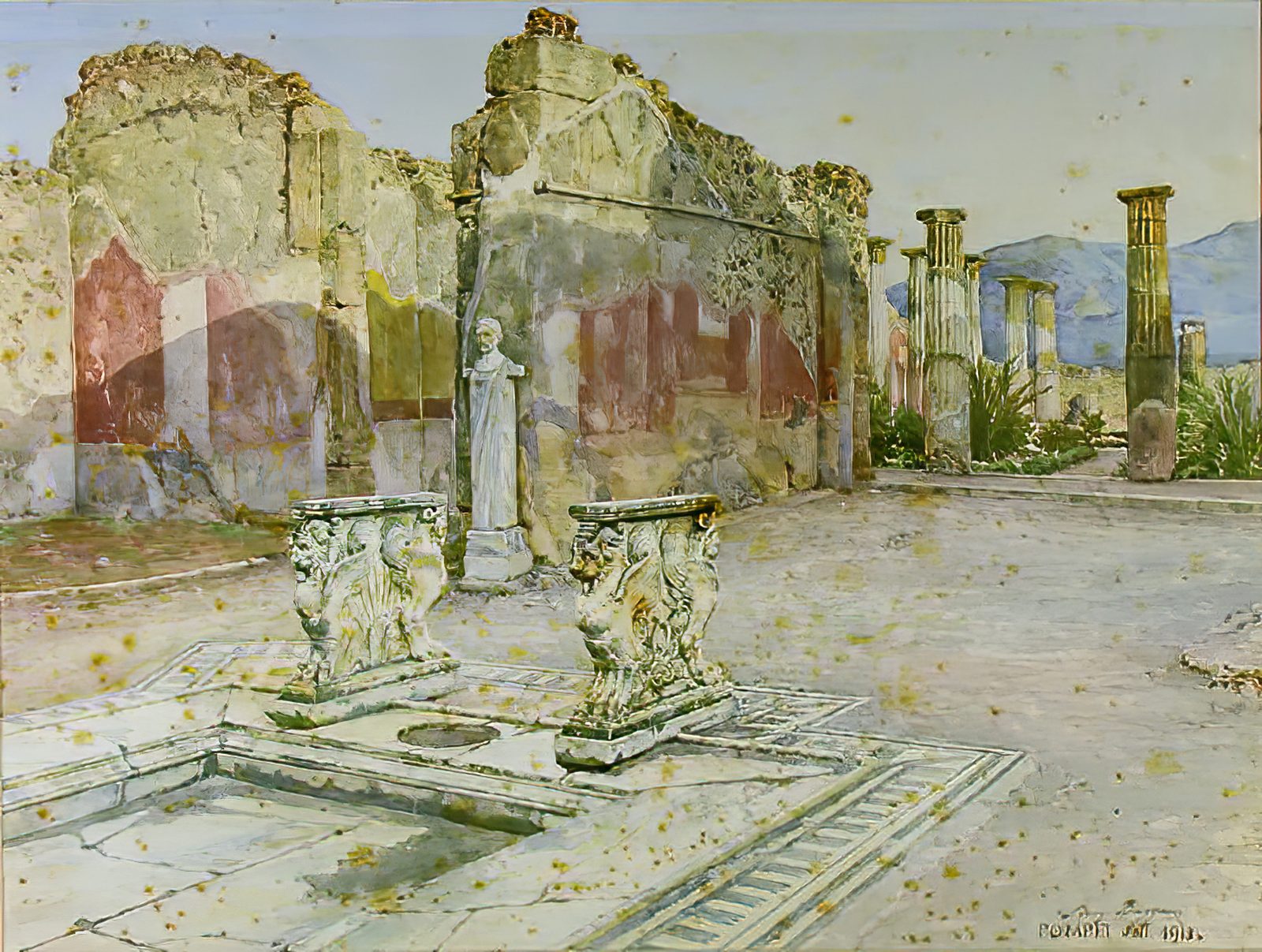
Background: Luigi Bazzani, “The atrium of the House of Cornelius Rufus, Pompeii”, 1913. Public domain
About that hall
atrium, the central hall
The open space at the heart of a Roman house. Light fell through a square opening in the roof (the compluvium) and rain collected in a sunken basin in the floor (the impluvium). Every room opened onto it.
-ensis, the one who belongs to it
Attached to a place, it names the person of that place. Attached to atrium, the one who belongs to the hall. In other words, its keeper.
Together they make atriensis: the steward who kept the hall, the household records and the staff. He knew where everything was and produced it before he was asked. Drop the ending and you have Atriens.
The same job
Everything opens onto one place
Folders, the terminal and your AI all face a single window. You stop moving between apps because there is a hall.
Produce it before it is asked for
The steward's job was to remember where everything was. Remember the places in your sidebar and open them at once. The job has not changed.
Navy and gold
Navy is the hall at night
Atrium still names the tall open space in a good hotel. A deep navy is the colour of a place that receives you.
Gold is the light coming down
Light through the opening, caught by the basin. Gold marks only the thing we want you to press. It is never decoration.
Saying it
AY-tree-enz
Three syllables, stress on the first.
The spelling does not change
Atriens or atriens, nothing else. No inner capital, no abbreviation.
More than forty candidates were checked before this one.
English words that bring an image to mind are being taken one after another by AI developer tools. Going back to Latin finally turned up a word still free.
THE STORY
Obsidian is a good tool.
It just did not fit my desk.
Keep your notes in Obsidian, point Cursor at them. A lot of people have settled on that setup, and it works. I tried it too. This is why it did not fit, and what I built instead.
Obsidian is genuinely good
The reputation is deserved. What you write links itself together, search is fast, and going back through it is a pleasure.
People are happy with it for good reason, and I have never doubted that. This is not a story about Obsidian being worse than something.
And then there are the people pairing it with Cursor
Collect notes, let an AI read them, call it a second brain. You see that setup written up often.
Honestly, it looked good. It looked like the desk of someone who had figured things out.
So I tried working the same way
I set up the same thing and used it for a while. Write notes, let the AI read them, pull one when I need it.
Some things you cannot judge from the outside, so I copied the whole arrangement first.
Two things started to grate
The first was weight. Just having it running takes up presence, screen and attention.
The second was the screen itself. Put Obsidian and Cursor side by side and the notes collapse to an unreadable column while the code wraps into noise. On a laptop it simply does not work.
You end up bringing one to the front and hiding the other, and every time you switch you have to remember what you were looking at.
Then something unexpected
When an AI searches your notes, none of Obsidian's cleverness is involved.
The app keeps its own copy of every note it has opened. That copy is why search feels instant. But it belongs to the app, and nothing else can open it.
What the AI reads is the plain text files. The behaviour is the same as if the app were not installed at all. For the one job of letting an AI read your notes, Obsidian was not making anything faster.
This is where my own habits mattered
I come from the server side. For more than twenty years my work has happened inside a terminal, and it still does. Most of my day is spent driving an AI from a command line.
So instead of looking for a better way to arrange the windows, I asked whether there needed to be three of them.
The answer was to make it one
Files on the left, terminal below, AI beside them. With one window there is nothing to arrange, and nothing to bring forward or hide. That is Atriens.
It reads the list of folders Obsidian already knows about, so nothing has to move, and it never rewrites a line of Obsidian's settings. Your notes stay plain text files, exactly where they were.
Who this is for, and who it is not for
If Obsidian and Cursor are working for you, keep them. If your work is reading and thinking, Obsidian is still one of the best choices there is.
Atriens is for people whose work sits inside a terminal. Look at a file, run a command, talk to the AI, several hundred times a day. For them, having three windows is the friction. That is who we built it for.
Contact
Get in touch
Questions before buying, licensing, bug reports, feature requests. We reply by email within two business days. We will never call you to sell anything.
Received
We sent a copy to the address you gave. You will hear from us within two business days.
If the copy does not arrive, please check your spam folder.
Terms
Terms of Service
The terms under which you use Atriens.
These terms are a translation provided for convenience. In the event of any difference, the Japanese version governs.
1. Scope
These terms apply between LIFE SCAPE, K.K. (“we”) and anyone who uses the macOS application Atriens (“the software”).
2. License
We grant you a non-transferable, non-exclusive right to use the software under these terms. A paid license may be used on up to three Macs at a time. There is no limit on the number of iPhones and iPads.
Copyright and all other rights in the software remain with us. These terms do not transfer them to you.
3. What is free
Using the software on a Mac alone is free, with no time limit. No account is required.
Using it from an iPhone or iPad, whether on the same network or away from it, requires a paid license.
4. Payment and cancellation
A paid license is available monthly, yearly, or as a one-time purchase. A one-time purchase covers the major version current at the time of purchase (1.x), with no time limit.
Monthly and yearly plans renew automatically unless you tell us otherwise before the renewal date. You may cancel at any time; billing stops from the next renewal and you keep access until the end of the period you have paid for. We do not refund partial periods.
5. What you may not do
- Copy, modify, decompile, disassemble or reverse engineer the software
- Transfer, lend or publish your license key
- Use the software for any unlawful purpose or against public order
- Place an unreasonable load on our servers
- Use the software to infringe the rights of others
6. Your data
The files the software works with are inside your Mac. We never obtain their contents.
Traffic between your Mac and the device in your hand is encrypted end to end. The relay forwards it still encrypted, and we cannot decrypt it.
7. Disclaimer
The software is provided as is. We do not warrant that it fits any particular purpose, or that it runs without interruption or error.
Our liability for any damage arising from your use of the software is limited to the amount you have paid us, except in cases of our wilful misconduct or gross negligence.
You are responsible for keeping your own backups of important data.
8. Changes and discontinuation
We may change the software or stop providing it. If we stop providing the relay used for connecting from away, we will notify holders of a paid license at least three months in advance.
9. Governing law
These terms are governed by the laws of Japan. The Tokyo District Court has exclusive jurisdiction of first instance over any dispute concerning the software.
Last updated: 1 September 2026
Privacy Policy
Privacy Policy
What we handle when you use Atriens.
1. Who we are
Atriens for macOS and Atriens for iPhone and iPad (together, "the software") are made by LIFE SCAPE, K.K. ("we"). This policy explains what we handle when you use the software.
2. Your files and what you type
The contents of your folders, files, and terminal live on your Mac and are exchanged between your own devices. We do not read, collect, or store them.
Traffic between your iPhone or iPad and your Mac is encrypted between your own devices. When they are not on the same network, our relay forwards this traffic while it stays encrypted, and we cannot decrypt it.
3. What we handle
We handle the following, only for the purpose stated.
- License and payment. When you buy a license on our website, payment is processed by Stripe. We keep your email address and the payment identifiers Stripe returns, so we can issue and manage your license.
- Device pairing. To pair your iPhone or iPad with your Mac and to apply the limit on how many devices are used at once, we store a device identifier and the device name you set.
- Contact. If you write to us, we keep your name, email address, and message so we can reply.
4. What we do not do
The software contains no advertising and no third party analytics or tracking. We do not sell your information.
5. Third parties
We use Stripe for payment and our own relay for connecting to your Mac. Apart from these, we do not share your information with anyone else except where disclosure is required by law.
6. Keeping and deleting data, and your rights
We keep license and pairing information while your license is active. You may ask us to see or delete your information at any time. Please use the contact below.
7. Changes to this policy
We may update this policy. If we make a significant change, we will note it on this page.
8. Contact
LIFE SCAPE, K.K.
[email protected]
This English text is a translation provided for convenience. In the event of any difference, the Japanese version governs.
Last updated: 8 September 2026
Legal notice (Japan)
Notice under the
Japanese Act on Specified
Commercial Transactions
Japanese law requires sellers to publish the following details. They are shown here in English for reference; the authoritative version is in Japanese.
Sitemap
Sitemap
Every page on this site, with a note on what each one covers.
Thank you
Your license key is on its way
We sent the key to the email address you entered at checkout. If it has not arrived after a few minutes, please check your spam folder.
Entering the key
- Open Atriens. If you have not installed it yet, start from Download.
- Choose Atriens in the menu bar, then Settings.
- Open License and paste the key from the email.
Checking the key needs no connection, so you can enter it offline. One license covers up to three Macs.